
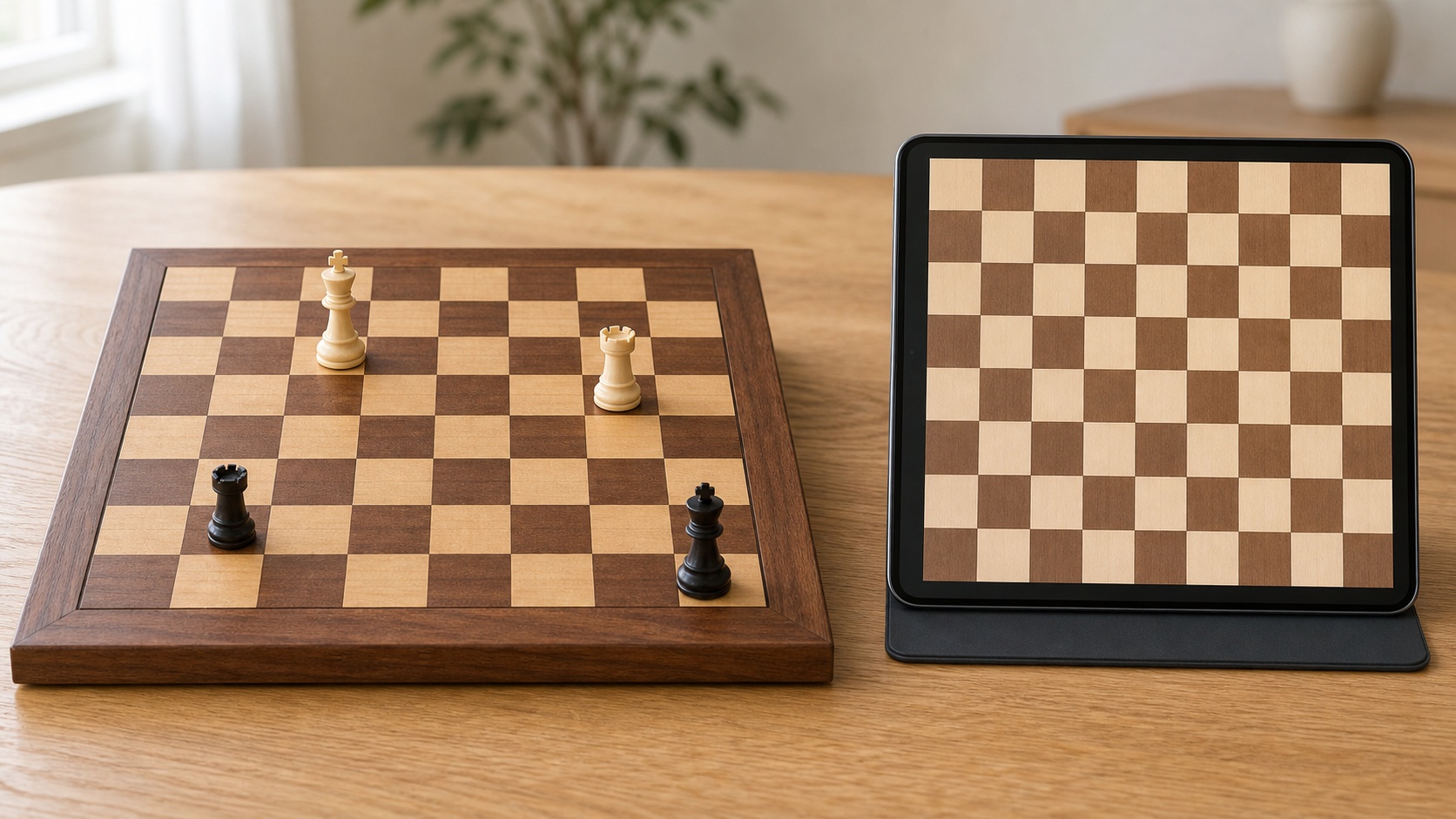
A physical chess board is the better first tool when a beginner needs to learn setup, recognize pieces from different angles, and play face to face. A chess app is the better first tool when guided feedback, quick practice, portability, or finding an opponent matters more. Most beginners do not need to choose permanently: learn one small idea in the app, then replay it on a real board.
This is a comparison of learning formats, not a ranking of apps or a claim that one method produces better players. The right starting point depends on the learner, the available helper, and where games will actually happen.
Helpful next step
If a physical board fits your learner, compare readable square sizes, recognizable pieces, and storage in our guide to chess sets for absolute beginners.
Quick comparison
- Choose a physical board for board setup, piece handling, face-to-face games, family teaching, and learning to see the whole position without screen prompts.
- Choose a chess app for guided lessons, instant rule checks, short solo practice, portable puzzles, and games when no local partner is available.
- Use both when the beginner enjoys digital guidance but also wants confidence playing over a real board.
- Skip buying anything yet if a borrowed board and a free, age-appropriate app are enough to reveal which format the learner will actually use.
What a physical chess board teaches well
A real board makes the game tangible. The learner places every piece, checks that the light square is on the right, and physically traces ranks, files, and diagonals. That setup work can feel slow, but it reveals misunderstandings that an app may silently fix.
Physical pieces also help a beginner recognize a bishop, knight, rook, queen, and king as objects rather than flat symbols. This matters when moving from a screen to family play, a classroom table, or a casual club. The board keeps both players in the same space, which makes it easier for a parent or teacher to ask what the learner sees before offering an answer.
Best fit: families playing together, beginners preparing for over-the-board games, learners who enjoy hands-on activities, and anyone who needs repeated setup practice.
Where a physical board can slow a beginner down
A board does not explain why a move is illegal, provide a ready opponent, or automatically reset a practice position. A new player may repeat a setup mistake unless a helper notices it. Learning alone also requires a book, rule guide, video, or other source of instruction.
Space and storage matter. A board that is too cramped makes pieces hard to identify, while a large board may be awkward on a shared desk. Lost pieces can stop a game, and a display set with unusual shapes may be less readable than a simple beginner set.
Skip a physical-board-first approach when no one can help with the basic rules, there is no practical table or storage space, or the learner consistently chooses short solo lessons instead of arranging pieces.
What a chess app teaches well
An app can make the first session easier to start. It sets up the board, enforces legal movement, offers short exercises, and can provide an opponent at any time. For a beginner who wants ten minutes of practice rather than a full game, that convenience is useful.
Digital boards also make repetition inexpensive in time. A learner can retry a basic checkmate, piece-movement exercise, or tactical pattern without rebuilding the position by hand. Some apps offer hints or explanations, although the quality and difficulty of those features vary. Look for clear beginner lessons and understandable feedback rather than a crowded feature list.
Best fit: independent practice, travel, learners without a regular opponent, short lessons, and beginners who want immediate confirmation that a move is legal.
Where a chess app can leave gaps
Automatic setup can hide whether the learner knows where the pieces belong. Legal-move highlights can become a crutch if the beginner never pauses to predict a piece's path. A two-dimensional symbol may also be easier to recognize than the same piece on a real board.
Apps differ in account requirements, advertising, chat, purchases, difficulty, and privacy controls. Parents and teachers should review those details directly rather than assuming every chess app is designed for children or classrooms. This page does not recommend a particular service.
Skip an app-first approach when prompts distract more than they help, the learner rushes through moves for feedback, device rules make access inconsistent, or the goal is specifically to join face-to-face games soon.
Setup and maintenance differences
Physical board setup
A beginner should practice orienting the board, placing the back-rank pieces, and checking queen color. Keep all pieces in one labeled bag or compartment and count them during cleanup. If setup is still uncertain, follow our chess board setup guide.
Choose familiar piece shapes and strong square contrast. The widest piece base should fit comfortably inside a square with visible space around it. A folding board needs to open flat; a roll-up board needs storage that prevents deep curls.
Chess app setup
Check whether the app works without an account, whether lessons require a subscription, and whether games or messages connect the learner with other users. Turn off distracting notifications and choose a board theme with clear contrast and conventional piece symbols.
For practice, set a small goal before opening the app: finish one movement lesson, solve five suitable puzzles, or play one slow game. A defined stopping point keeps the tool tied to learning instead of endless tapping.
Who each option fits
- A child learning with a parent: start on a physical board so both people can point, explain, and play mini-games together. Use an app later for short independent review.
- An adult learning alone: start with a guided app, then rebuild key positions on a board if over-the-board play is a goal.
- A family with little table space: use an app for lessons and a compact but readable folding board for shared games.
- A classroom or club beginner: practice on the same physical format used in group games; digital exercises can supplement, not replace, table habits.
- A frequent traveler: use an app when packing space is tight, or compare physical options in our travel chess and checkers set guide.
A simple way to combine both
- Learn one rule or pattern in a short digital lesson.
- Close the app and set up the same position on a physical board.
- Name the pieces, predict the move, and play it without highlights.
- Explain the reason aloud to a partner or in a notebook.
- Return to the app only to check the idea or try a new example.
This routine uses the app for guidance and the board for recall. If moving the pieces is still the main challenge, continue with how chess pieces move before adding openings or timed games.
What both options should skip at first
Do not make a first board purchase about luxury materials, and do not choose an app because it has the most advanced features. Beginners need recognizable pieces, a readable board, clear explanations, and practice that matches their attention and goals.
Skip clocks until untimed games feel comfortable. Skip app ratings, competitive streaks, and difficult puzzles if they make the learner guess quickly instead of thinking. Skip novelty physical pieces if their shapes make the game harder to read.
Bottom line
Start with a physical board when the main goal is setup confidence, face-to-face play, and recognizing a real position. Start with a chess app when the main need is instruction, repetition, portability, or access to an opponent.
For many beginners, the strongest practical routine is not board versus app but board after app: get one clear lesson digitally, then prove it without prompts on a real board. Choose the format that makes the next session easy to begin, and add the second format only when it solves a real gap.