
Chess clock comparison
Analog vs Digital Chess Clock: Which Is Easier for Casual Players?
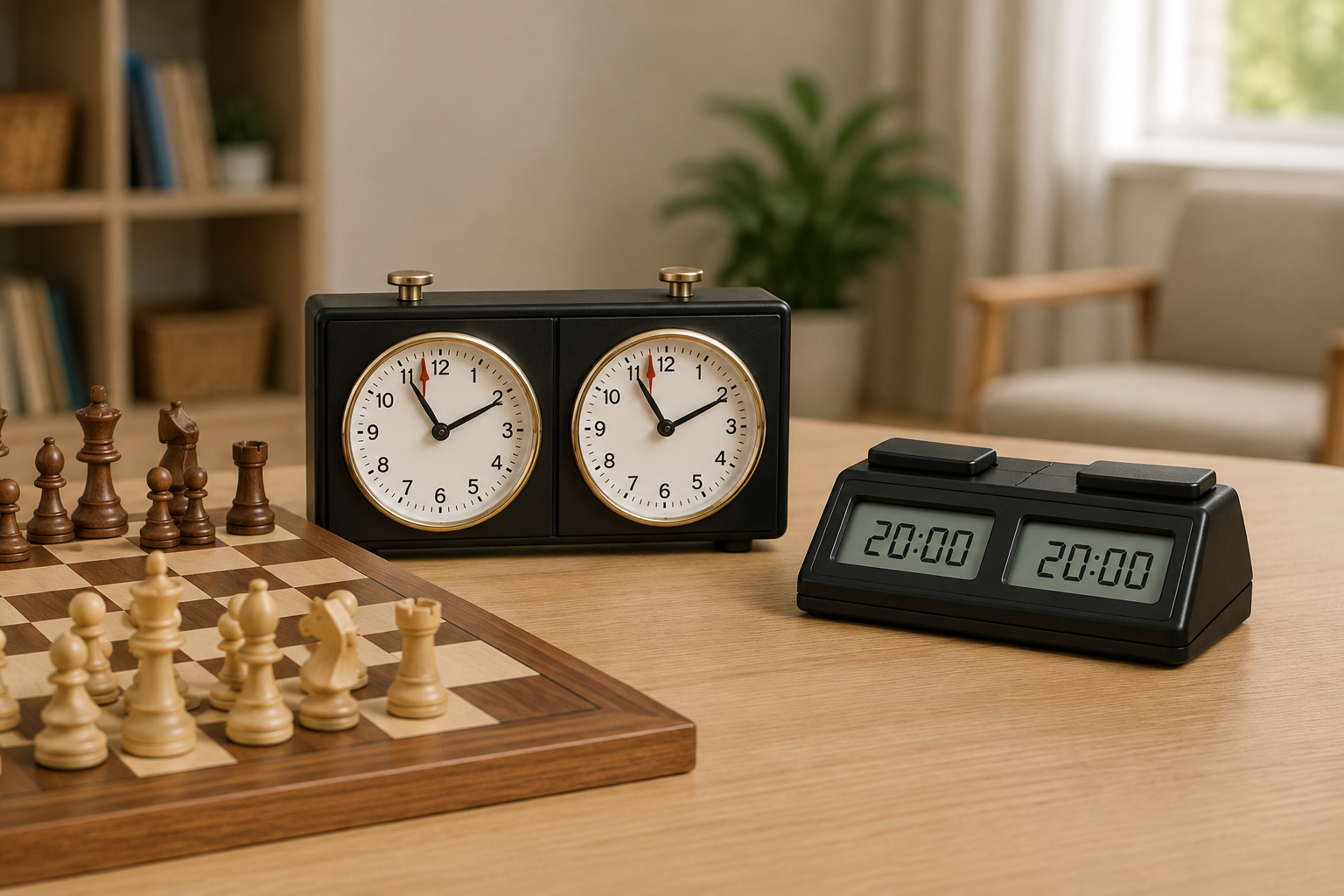
An analog clock makes basic countdown play visible with two familiar dials and direct buttons. A digital clock is usually the more flexible choice when you need exact remaining time, delay or increment, or repeatable presets. For relaxed family games, either can work—but only if everyone can read, pause, and reset it without turning the clock into the main challenge.
This guide compares physical clock formats, not named models. It does not claim hands-on testing, current prices, ratings, availability, durability, or tournament approval. Confirm the exact controls, timing modes, dimensions, sound behavior, and power requirements in the current manufacturer instructions before buying.
Quick answer
Choose analog for straightforward countdown games when the players prefer physical dials, do not need delay or increment, and can comfortably judge the hands near the end of a game.
Choose digital when exact seconds, programmable timing, delay or increment, a clear pause state, or repeatable club settings matter. Verify those features on the exact clock: “digital” alone does not guarantee a particular mode or an easy menu.
Choose neither yet if a timer makes a beginner rush before checking the board. The separate clock-readiness guide helps decide whether timed play is useful at all.
Side-by-side decision table
| Decision | Analog clock | Digital clock |
|---|---|---|
| Reading time | Two clock faces show the general time remaining; the last minutes may require closer reading. | Numerals can show exact minutes and seconds; display size and contrast still vary. |
| Basic setup | Often direct for a simple countdown after winding and setting both sides. | May be quick with a preset, or slower when the menu and abbreviations are unfamiliar. |
| Timing options | Best treated as a basic countdown format. | May support delay, increment, multiple periods, or presets; verify the exact model and sequence. |
| Power | Mechanical models avoid batteries but may need winding and time adjustment. | Requires the stated battery or power source; plan for replacement and storage. |
| End-of-time signal | A flag or dial position may indicate expiration. | The display indicates expiration and may also beep; verify whether sound can be controlled. |
| Best fit | Occasional, simple games and players who enjoy a traditional physical interface. | Recurring practice, exact timing, shared presets, or games using delay or increment. |
What makes an analog clock easier?
An analog twin-dial clock gives each player one face and one top button. For a plain countdown game, that visible one-button-per-side relationship can be easy to explain: finish the move, press your button, and the other dial runs.
The tradeoff is precision. Players need to read hands rather than large numerals, especially as time gets short. Before buying, check dial diameter, markings, flag visibility, button reach, winding and setting instructions, and whether both players can see the faces from their seats.
Skip analog when your routine calls for delay or increment, exact seconds, quiet operation confirmed by specification, or a shared setting that helpers must reproduce precisely.
What makes a digital clock easier?
A digital clock can make remaining time more exact and can support timing formats beyond a basic countdown. It is usually the practical direction for a casual club that wants every board set to the same published routine.
More capability can add setup friction. Compare display contrast, digit size, player buttons, pause control, reset sequence, preset labels, battery compartment, sound settings, and whether the current manual explains the desired mode clearly. If increment matters, use the dedicated increment-clock guide for casual clubs.
Skip a digital clock whose everyday setting requires a menu sequence no regular helper can reproduce. A feature is not useful if the group avoids it.
A five-minute table test
- Name the game: plain countdown, or a specific delay/increment routine.
- Read both sides: make sure each seated player can interpret the display without lifting the clock.
- Trace the controls: start, switch, pause, correct an accidental press, and reset for the next game.
- Check the environment: note sound preferences, battery storage, table space, and who maintains shared equipment.
- Teach it once: if a new player cannot understand the turn-switching routine after a short explanation, simplify the setting or delay timed play.
Which format fits your setting?
- Relaxed family game: analog can be pleasantly direct for basic countdowns; digital is better when exact time or quieter verified settings matter.
- First timed practice: borrow either format first, or compare a physical clock with an app in the dedicated clock vs clock app guide.
- Casual club: digital usually fits repeatable settings, but matching controls and a one-page setup card matter more than feature count.
- Gift: choose the interface the recipient can read and reset; do not assume a traditional appearance or a long feature list makes the better gift.
Bottom line
Analog is the simpler physical idea for basic countdown play: two dials, two buttons, and no digital menu. Digital is the more adaptable format for exact time and verified delay, increment, or preset needs. The easier clock is the one both players can read and a regular helper can reset confidently.
If you already know which format fits and are considering a secondhand unit, use the used chess clock inspection guide to verify the exact model, controls, display, power area, documented modes, and transaction terms.
Once the format is clear, use the beginner chess-clock buying guide to compare display, controls, stability, power, and skip criteria without treating any named model as an automatic winner.