
Choose a magnetic wall board when members should move pieces, suggest lines, and keep the session independent of room technology. Choose a projected digital board when the facilitator needs to enter positions quickly, step through several variations, or show an already saved game. The better choice depends less on screen size than on who operates the position and how the group participates.
This guide compares category workflows, not named products or chess software. Confirm current dimensions, included pieces, mounting instructions, display inputs, software features, offline behavior, and room rules before buying or installing anything.
As an Amazon Associate, The Good Chess & Checkers may earn from qualifying purchases.
Plan the analysis workflow first
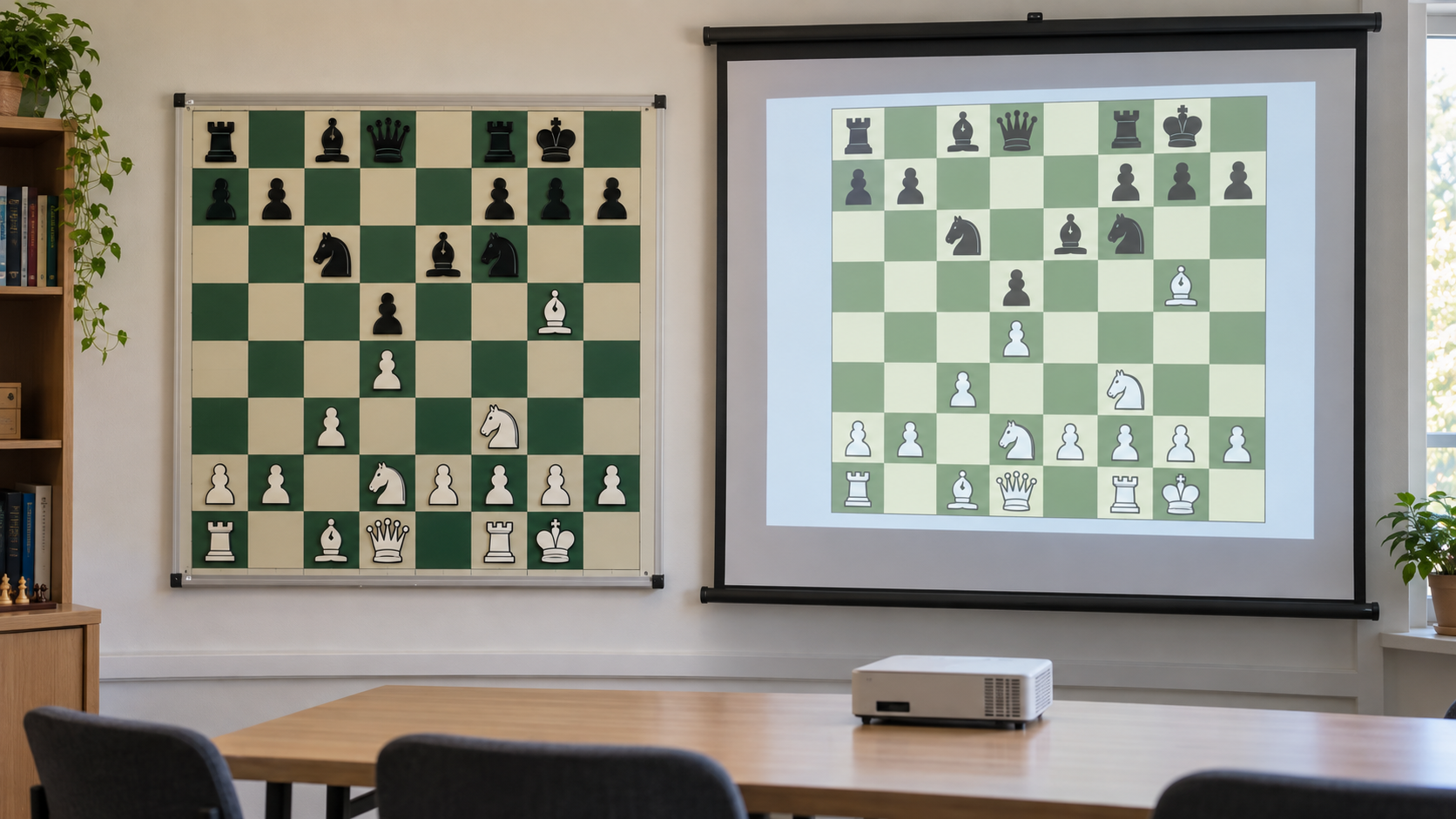
Compare a physical group board with a projected position
For a wall board, verify square and piece visibility, complete piece inventory, mounting or hanging method, and storage. For projection, verify the room's screen or wall, projector inputs, brightness guidance, computer connection, and the chosen software's position-entry and offline features.
Quick decision
- Choose the magnetic wall board for tactile participation, dependable offline use, and a facilitator who is comfortable resetting pieces by hand.
- Choose projection for saved games, rapid variation changes, position annotations, or a room already equipped with a suitable computer and display path.
- Use both only with a clear job for each: a physical board for member-led exploration and a projected board for replaying the final game record.
- Choose neither yet if the group is small enough to gather around a normal board or has no consistent person to prepare the position.
The main tradeoff: shared manipulation vs fast variation control
A magnetic board makes analysis physical. A member can walk up, move a piece, and explain an idea without taking control of a computer. The board stays visible while discussion moves around the room. Resetting a long line, however, depends on remembering the starting position or keeping a record beside the board.
A projected digital board makes branching easier when the software supports position entry, move navigation, and annotations. The facilitator can return to an earlier move and compare another line without rebuilding the board. That speed can become a bottleneck if only one person understands the software or if members become spectators instead of contributors.
Who each option fits
Magnetic wall board
This format fits clubs that value member participation, meet in rooms without dependable technology, or analyze one position slowly. It can also suit mixed-experience groups because the physical pieces make each proposed move visible. Confirm that the rear seats can distinguish piece shapes and colors before treating size alone as proof of readability.
Projected digital board
Projection fits a club that reviews saved games, explores several branches, or wants to display arrows and highlights that the chosen software actually supports. It works best when the room already has a reliable input path and one or more facilitators can enter a position without delaying the discussion.
Setup and maintenance differences
| Decision | Magnetic wall board | Projected digital board |
|---|---|---|
| Before the session | Hang or place the board, count pieces, and build the starting position. | Connect the computer and display, open the software, and load or enter the game. |
| During variations | Move and restore pieces manually; keep the base position recorded. | Step backward or branch if the selected software supports it and the operator knows the controls. |
| Participation | Members can physically demonstrate moves. | Suggestions pass through the computer operator unless the input setup is shared. |
| Ongoing care | Count magnetic pieces, store them flat or contained, and follow board-cleaning guidance. | Maintain cables, adapters, software access, power routine, and an offline fallback. |
| Room dependency | Needs visible placement and suitable support. | Needs a suitable projection surface, controlled sight lines, power, and compatible inputs. |
Run a no-purchase session test
- Choose one completed club game and one critical position with two candidate continuations.
- For the physical test, use the largest board already available and have three different members present a move.
- For the digital test, connect the equipment already in the room and have a backup facilitator load, branch, and restore the same position.
- Sit in the farthest normal seats and check piece recognition, glare, blocked sight lines, and whether spoken coordinates are still needed.
- Time preparation, each variation reset, and pack-away. Note where discussion stops to solve an equipment problem.
- Choose the workflow that keeps more members reasoning about chess, then verify current product and software specifications.
Skip criteria
Skip a magnetic wall board if the room has no approved placement, distant members cannot recognize its pieces, or incomplete piece inventories would regularly interrupt setup. Skip projection if the room cannot reliably support the required power and input path, the image is difficult to see under normal conditions, or the software requires an account or connection the club cannot consistently provide.
Skip either purchase when a tabletop board and a small group already produce useful discussion. Equipment should remove friction from analysis, not turn every meeting into a presentation setup.
Bottom line
A magnetic wall board favors tactile, member-led analysis and simple offline reliability. A projected digital board favors saved games, quick navigation, and multiple variations—but only when the room and facilitator can support it. Test the complete workflow with existing equipment, protect an offline fallback, and choose the format that keeps the position clear without narrowing participation to one operator.