
A dedicated chess computer is the better offline fit when you want a self-contained physical opponent with no general-purpose screen at the board. A chess app is the more flexible first choice when you already own a compatible device and can verify that the exact modes you need work without a connection.
“Offline” is not one universal feature. A dedicated unit may work independently but still use batteries or an adapter. An app may open and play locally after installation, yet require internet for sign-in, downloads, analysis, lessons, updates, or some opponents. Check the current manual and provider documentation before relying on either format away from a connection.
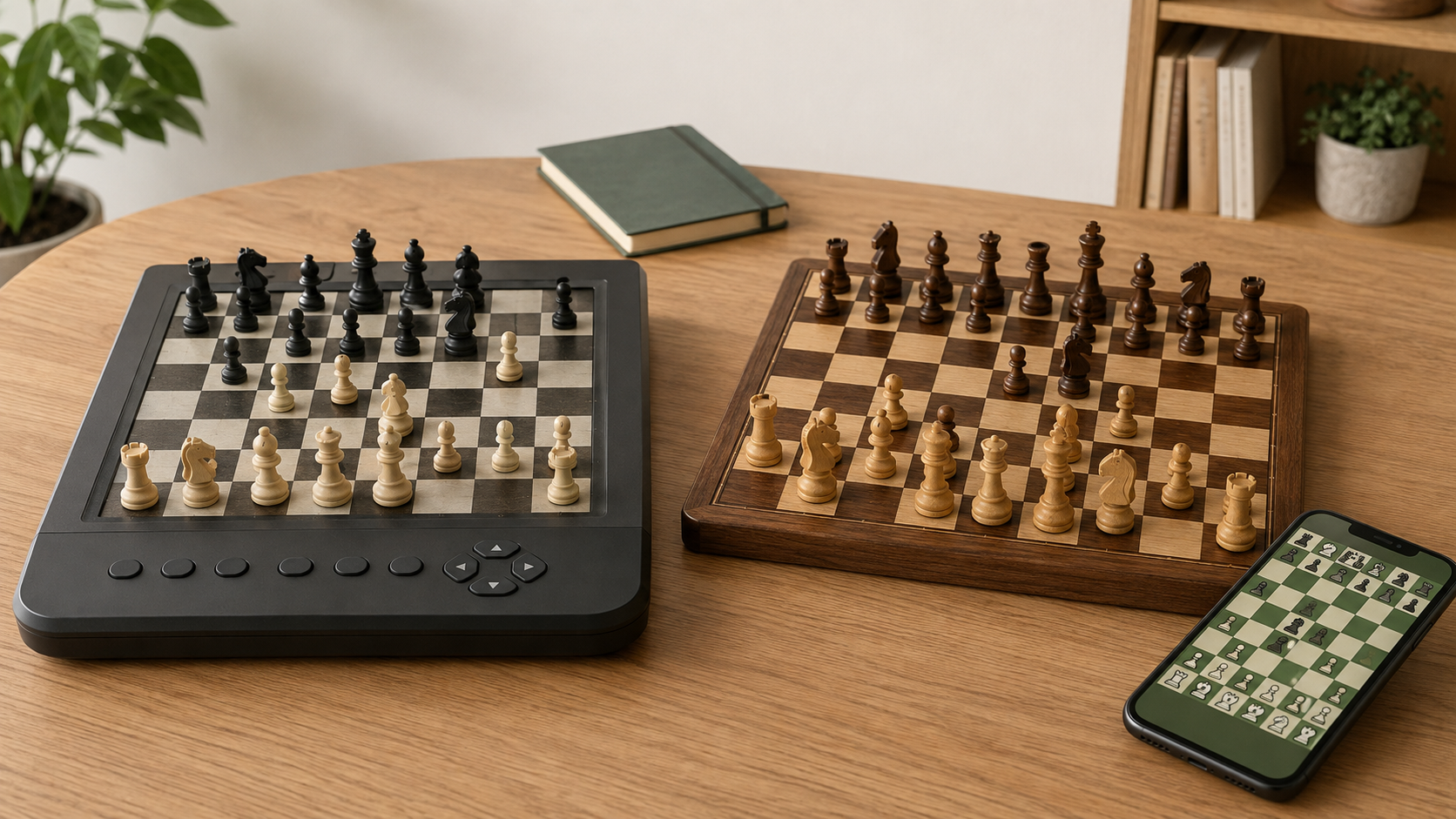
Quick decision
- Choose a chess computer when physical pieces, a ready solo opponent, fewer device distractions, and independence from an app account matter most.
- Choose an app when low initial cost, portability, software choice, and using hardware you already own matter most.
- Use an ordinary board with an app when you want full-size pieces and can tolerate entering or mirroring moves between two boards.
- Delay both when you still need to learn setup and legal piece movement, or when solo practice is not yet a regular habit.
Side-by-side comparison
| Decision | Dedicated chess computer | Chess app |
|---|---|---|
| Offline confidence | A self-contained model may play without a network; confirm this in its current manual. | Varies by app, mode, account state, downloaded content, and version; test before travel. |
| Board interaction | Often uses included pieces on a sensory board or a compact coordinate/button interface. | Usually uses a touchscreen; pairing it with a physical board adds manual move transfer. |
| Distractions | A single-purpose device keeps unrelated apps away from the game. | Notifications and other apps share the device unless focus settings are used. |
| Power | Uses the batteries or adapter stated by the maker. | Depends on the phone or tablet battery and any charger you carry. |
| Changes over time | Controls are relatively fixed, although support and replacement parts can change. | Features, compatibility, terms, and offline behavior may change with updates. |
| Storage | Needs shelf space for the unit, pieces, manual, and power accessories. | Adds little equipment if you already own the device; a full-size board remains optional. |
What “offline” should mean in your routine
Write down the exact task you need without internet: start a complete game against the computer, reopen a saved position, use a downloaded lesson, review a game, or simply move through a book position. Those jobs are different, and a product that supports one does not automatically support the others.
For an app, install the current version, sign in if required, download any stated content, turn on airplane mode, restart the device, and test a complete game plus any feature you expect to use. For dedicated hardware, read the manual for startup, move entry, corrections, castling, promotion, position setup, power, and reset. Do not infer offline operation from a product photo or category name.
When the chess computer earns its extra space
The physical interface is the main reason to choose dedicated hardware. If you already enjoy looking across a board, moving pieces, and sitting down for a complete solo game, the device can keep that routine contained. Its value is not a guaranteed learning result or playing-strength claim; it is a repeatable format.
Check the full board dimensions, square size, piece height and base diameter, contrast, move-entry method, correction workflow, display readability, sound controls, and storage footprint. Compact units may travel well but feel crowded. Larger units may be pleasant at a desk but inconvenient to store.
Skip dedicated hardware when the controls are unclear, the current manual is unavailable, physical solo games are rare, or an existing app already solves the real problem. The separate dedicated-computer worth-it guide offers a buy, borrow, delay, or skip test.
When the app is the more practical start
An app lets you test solo practice on equipment you already have. You can compare interfaces before committing shelf space to another device, and you can carry it easily. But “available on a phone” does not mean “fully available offline.” Confirm current operating-system support, account requirements, downloaded content, subscription boundaries, and which functions remain usable with networking disabled.
If screen interruptions are the problem, try focus mode, silence notifications, and keep the device on a stand beyond the board edge. If moving on a touchscreen is acceptable, you may not need another board. If physical pieces help you follow positions, use a board with clear coordinates and expect to mirror both your move and the app’s reply.
Skip a paid plan until the free or existing version has supported a real routine. If the decision is about recurring features rather than offline format, use the guide to whether a chess app subscription is worth it for beginners.
A no-spend comparison test
- Name one offline job: for example, complete a solo game on a trip with no reliable connection.
- Test the app honestly: enable airplane mode, restart it, and complete that job using only features already installed.
- Add a physical board: play another game while mirroring moves and note whether double entry helps or interrupts concentration.
- Simulate dedicated use: place the phone in focus mode beside the board and keep it there for a full game.
- Record the friction: screen size, notifications, move transfer, battery, setup, or lack of a physical interface.
- Buy only for the remaining problem: read a candidate computer’s current manual and confirm that its actual workflow removes that friction.
Who should skip both?
- A new player who still needs the site’s guide to how chess pieces move and benefits more from slow games with a patient person.
- A family whose main goal is playing together rather than finding a solo opponent.
- A learner looking for guaranteed improvement, coaching, or explanations that neither exact product has documented.
- A traveler who has not tested power, storage, and true offline behavior before departure.
- Anyone who cannot verify a current manual, app support page, account terms, or return route.
Bottom line
Choose a dedicated chess computer for a stable, physical, low-distraction solo routine that must work independently of a general-purpose device. Choose an app first when flexibility, portability, and trying the routine with equipment you already own matter more. For many casual players, an ordinary board plus a tested offline app is the useful middle ground—but only if entering moves twice does not become the new obstacle.
The planned beginner-chess pillar is not yet built. For now, continue with the physical chess board vs chess app guide if your larger question is how a beginner should learn, rather than how to practice offline.