
Choose a push-button clock when clear physical movement and easy-to-see button position matter most. Choose a touch-sensor clock when players prefer a flatter control surface and the exact model gives reliable visual or sound confirmation. Input style is only one part of the decision: the display, timing modes, reset sequence, power source, and manual still need to fit how you play.
This comparison assumes you have already decided to use a physical digital clock. If that choice is not settled, start with dedicated chess clock versus clock app. If you are choosing analog or digital timing instead, use the analog versus digital clock guide.
The Good Chess & Checkers may earn commissions from qualifying purchases.
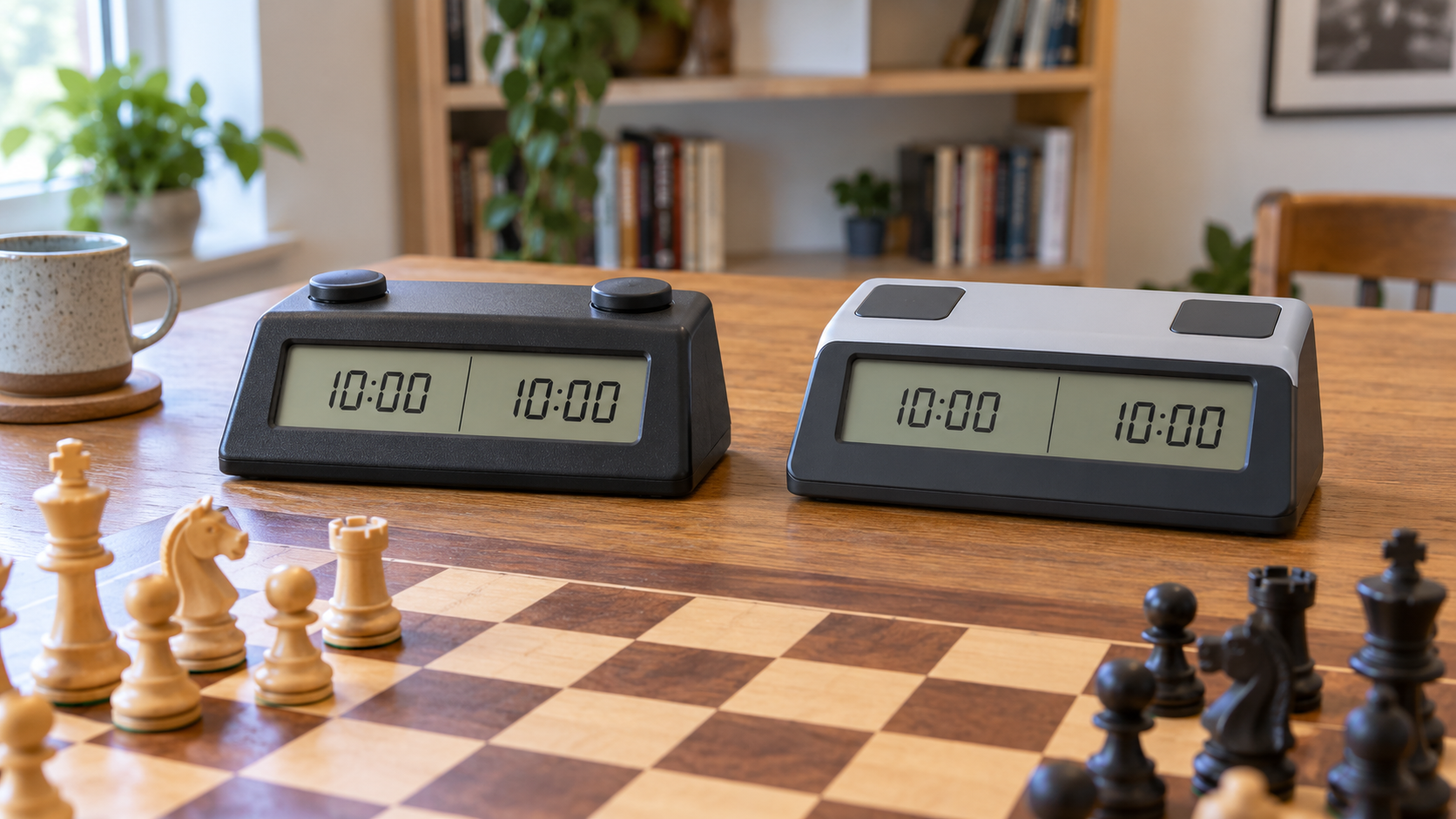
Quick decision aid
Check how each turn is registered
Current listings use control terms inconsistently. Confirm the exact clock's manual, product photos, button or sensor location, feedback, timing modes, power requirements, and reset steps before buying.
Quick decision
- Choose push-buttons when players value tactile travel and a control whose up-or-down position may be easy to recognize.
- Choose touch sensors when players prefer a low-profile surface and the exact clock provides unmistakable confirmation for every press.
- Test either style before standardizing a club when several ages, hand sizes, or playing habits will share the clocks.
- Skip both for now if adding time pressure would distract a new player who is still learning legal moves and check.
What a push-button clock changes
A raised button moves under the player's hand. That physical travel can make the end of a turn feel definite without requiring the player to stare at the display. On some designs, the two controls also give a visible position cue. Those details vary, so inspect the exact mechanism rather than assuming every button-top clock behaves alike.
Buttons add seams and moving parts around the control area. Crumbs or residue can collect around them, and an awkwardly placed or stiff control can encourage a hard slap. Follow the maker's cleaning directions and use ordinary deliberate presses; do not treat impact resistance as guaranteed.
What a touch-sensor clock changes
A sensor pad usually has little or no mechanical travel. Players may like the broad, flat target and the absence of a protruding button. The tradeoff is that a touch can feel less definite. A clear light, display change, sound, or other documented cue becomes important, especially in a noisy room.
Sensors may respond differently to a brief tap, a resting hand, or the touch area defined by the maker. Check the manual for the intended gesture and any lock or pause behavior. Do not infer sensitivity, reliability, accessibility, or battery life from the word “sensor.”
Compare the complete playing routine
Feedback during a move
Ask whether players can tell that the clock switched without breaking focus. For a button, check the travel, return, and visible state. For a sensor, verify the documented confirmation cue. Try this from both sides of the board and in the room where the clock will be used.
Accidental presses and pause controls
Look at the spacing between player controls and any central pause or settings buttons. Rehearse starting, pausing, correcting an input, and resuming. A control style is a poor fit if the group repeatedly reaches the wrong area or cannot tell which timer is running.
Display and timing modes
Control style cannot rescue an unreadable display or confusing menu. Confirm that the clock supports the timing method you actually plan to use, and use the model-specific manual to program it. Casual play often benefits more from a simple repeatable setup than from a long list of modes.
Power and storage
Check the stated power source, battery compartment, charging instructions if applicable, and whether settings remain after power changes. Store the clock so controls are not held down by other equipment. Clubs should label compatible cables or battery types instead of mixing loose accessories.
Cleaning and shared use
A flat pad may have fewer edges around the playing control, while a raised button may make the active target easier to locate. Neither fact proves that one clock is easier to maintain. Follow the exact maker's cleaning guidance and test whether the group can wipe, inspect, count, and store each unit consistently.
Run a two-game fit test
- Confirm the return policy and download the exact model's manual before opening the package.
- Program the simple timing mode the group will use most often.
- Play one slow practice game while noting missed switches, accidental presses, and display confusion.
- Swap sides and repeat so both players try both controls and viewing angles.
- Rehearse pause, correction, reset, power change, cleaning, and storage.
- Standardize only after the intended players can run the complete routine without frequent help.
Who should skip each option?
Skip a push-button model when its required force, control height, noise, seams, or reset layout do not suit the actual players and room. Skip a touch-sensor model when its activation area or confirmation is unclear, players often rest a hand on the control area, or the group cannot reliably tell that a turn switched. Skip buying a clock altogether when untimed play still provides better learning, or use a phone app temporarily to learn whether timed games will become a habit.
Next steps
Use best chess clocks for beginners for the broader display, mode, and setup checklist. Casual groups comparing power systems can read whether a rechargeable chess clock is worth it. If the clock will move between venues, plan storage with the chess clock carrying-case guide.
Bottom line
Push-buttons emphasize physical travel; touch sensors emphasize a flatter input surface. Neither is automatically easier or more dependable. Choose the exact clock whose feedback, display, timing modes, reset steps, power, cleaning guidance, and storage routine work for the people who will actually use it.